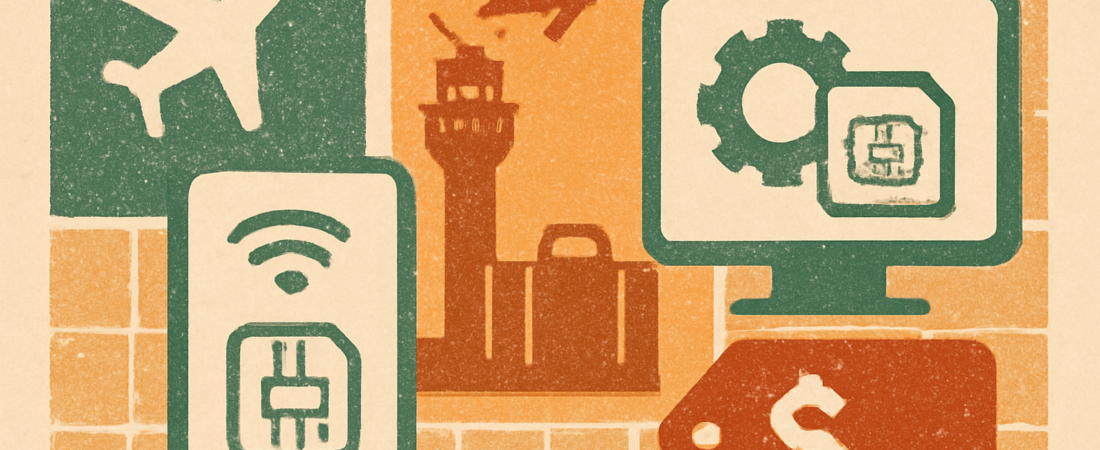
Most visitors can buy a Korea eSIM online before flying, scan a QR code, and connect on landing. Airport counters sell travel SIM cards and some eSIM plans, usually at higher prices. Check that your phone is eSIM-compatible and carrier-unlocked first. Prices vary by provider and data amount, so verify current rates on each seller’s official site.
Last checked: 2026-11-03
- Before you buy: check your phone
- Airport vs online: which is better?
- Typical prices and plan types
- Step-by-step setup
- Common problems and fixes
- FAQ
Before you buy: check your phone
An eSIM is a digital SIM built into your phone. You add a data plan by scanning a QR code. No tiny card is needed.
Not every phone supports it. Check these three things before you spend any money.
- Your phone supports eSIM. Most recent iPhones and many recent Android phones do. Look in your settings for a “Add eSIM” or “Add cellular plan” option. Your manufacturer’s support page lists compatible models.
- Your phone is unlocked. A carrier-locked phone may reject a foreign eSIM. Ask your home carrier if you are unsure.
- You have a spare eSIM slot. Phones can only store a limited number of eSIM profiles. If yours is full, delete an old one first.
A note on iPhones sold in some regions. Certain models sold in mainland China, Hong Kong and Macau use physical SIMs only. If you bought your phone there, check with Apple before buying an eSIM.
Also decide what you need. Do you only need data, or also a Korean phone number? Most travel eSIMs give data only. You can still use WhatsApp, KakaoTalk, FaceTime and similar apps over data. A local number is harder for short-stay visitors. Foreign visitors should check each provider’s rules.
Finally, keep your home SIM active if you can. Many phones allow a physical SIM and an eSIM at once. That lets you keep your home number for verification texts while using the eSIM for data. Switch off data roaming on your home line to avoid surprise fees.
Airport vs online: which is better?
There are two main ways to get connected. You can buy online before you fly, or buy at the airport after you land.
Buying online before you fly
Many travel eSIM sellers let you buy in advance. You pay online and receive a QR code by email or in an app. You can usually install it at home on Wi-Fi. Then you switch it on when you land.
The main benefit is convenience. You skip counter queues after a long flight. Online prices are also often lower and easier to compare.
The main risk is a bad install or a poor seller. Read recent reviews. Check the refund policy. Confirm the plan covers Korea and uses a local network.
Buying at the airport
Incheon International Airport has telecom counters in the arrivals area. Staff can sell you a travel SIM card. Some counters also offer eSIM plans. Gimpo and other airports may have fewer options, so check ahead.
The main benefit is human help. Staff can set things up while you stand there. This is useful if you are nervous about technology.
The downsides are time and cost. Queues can be long when several flights land together. Prices at counters are often higher than online deals, though this varies.
Counter hours and available products can change. Check the official Incheon Airport website and the carrier sites for the latest details before you travel.
Quick comparison
| Factor | Online eSIM (before flying) | Airport counter |
|---|---|---|
| Price | Often lower, easy to compare | Often higher; varies by plan |
| Speed on arrival | Fast if installed in advance | Depends on queue length |
| Help in person | No, support is by chat or email | Yes, staff can assist |
| Phone number included | Usually data only | Depends on product; ask staff |
| Best for | Confident phone users | First-time eSIM users who want help |
For most readers, buying online first is the smoother path. Keep the airport counter as a backup plan.
Typical prices and plan types
Prices change often. They depend on the provider, the data amount and the number of days. We cannot give one fixed price, so treat the numbers below as rough ranges only. Always confirm the current price on the seller’s own site.
Plans usually fall into three types.
- Fixed-day plans. You pick a set number of days, such as 5, 10 or 15. Data may be capped per day or in total.
- Fixed-data plans. You buy a block of data, such as a set number of gigabytes. It expires after a set period.
- Unlimited-style plans. These advertise unlimited data but often slow your speed after a daily limit. Read the fair-use terms.
As a rough guide, a short-stay data eSIM for a week often costs somewhere around $5 to $20 / 6,500 to 26,000 KRW, depending on data size. Larger or longer plans cost more. These are estimates, not quotes. Exchange rates also move, so the USD figure will shift.
| Plan style | Rough price range | Good for |
|---|---|---|
| Small data, about 1 week | About $5-$10 / 6,500-13,000 KRW | Light use: maps, messaging |
| Medium data, 1-2 weeks | About $10-$20 / 13,000-26,000 KRW | Social media, some video |
| Large or unlimited-style, 2+ weeks | About $20-$40 / 26,000-52,000 KRW | Heavy use, hotspot sharing |
These ranges are illustrative only and not verified against any single seller. Prices at airport counters may sit at the higher end. Verify before buying.
Watch for hidden limits. Some plans block hotspot sharing. Some slow down sharply after a daily cap. Some cannot be topped up. Read the plan details, not just the headline price.
Step-by-step setup
These steps are general. Menu names differ by phone brand and software version. Follow your seller’s own instructions if they differ.
Before you fly
- Buy your plan. Choose a seller with clear terms and a refund policy. Pick a data amount that fits your trip.
- Save the QR code. It arrives by email or in the seller’s app. Keep it safe. Many codes work only once.
- Connect to Wi-Fi. You need internet to install an eSIM.
- Install the eSIM. On most phones, go to Settings, then Mobile Data or Cellular, then Add eSIM. Choose to scan a QR code. Point your camera at the code.
- Label it. Give the plan a clear name like “Korea data”. This helps you avoid mixing it up with your home line.
- Leave it switched off. Many plans start counting days from first use or first connection. Keep the line off until you land.
After you land
- Turn on airplane mode, then off. This helps your phone find the local network.
- Switch on the Korea eSIM line. Set it as your data line in the cellular settings.
- Turn on data roaming for that line. Many travel eSIMs require this to be on. It applies to the eSIM line, not your home plan.
- Turn off data roaming on your home line. This prevents unexpected charges from your home carrier.
- Test it. Open a map or load a web page. If it works, you are set.
If you buy at the airport instead, staff may handle most of this for you. Ask them to confirm the data line and roaming settings before you walk away.
Common problems and fixes
Most eSIM trouble comes from a few simple causes. Try these fixes in order.
- No signal after landing. Toggle airplane mode on and off. Restart your phone. Check that the eSIM line is switched on.
- Connected but no internet. Confirm data roaming is on for the eSIM line. Check that the eSIM is chosen as your mobile data line. Look for an APN setting in the seller’s instructions and enter it exactly if required.
- QR code will not scan. Make sure you have Wi-Fi. Try entering the details manually, which most sellers provide. Do not delete and reinstall a one-use code without checking with the seller.
- “Unable to add eSIM” message. Your phone may be carrier-locked or your eSIM storage may be full. Contact your home carrier or delete an unused profile.
- Data runs out fast. Turn off background app refresh and auto-updates on cellular. Download offline maps over Wi-Fi.
- Verification texts not arriving. Your home number is on your physical SIM. Keep that line on for texts, with data roaming off.
If nothing works, contact the seller’s support. Keep your order number handy. If you are already in Korea, an airport or carrier counter can often help in person.
One last tip. Take a screenshot of your plan details and support contact before you fly. You may not have internet when you need them most.
FAQ
Can I use an eSIM in Korea with any phone?
No. Your phone must support eSIM and be carrier-unlocked. Check your phone maker’s support page for compatible models. If you are unsure about the lock status, ask your home carrier before you buy.
Is it cheaper to buy an eSIM online or at the airport?
Online plans are often cheaper and easier to compare, but prices vary by seller and plan. Airport counters add convenience and in-person help, sometimes at a higher price. Check current rates on the official seller sites before deciding.
Do travel eSIMs come with a Korean phone number?
Most travel eSIMs are data only. You can still use messaging and calling apps over data. If you need a local number, ask the seller or an airport counter whether foreign visitors can get one, and check the rules.
When should I install my eSIM?
Install it at home on Wi-Fi before you fly, then leave the line switched off. Turn it on when you land. This avoids queues and prevents your plan days from starting early on some products.
Sources
- Incheon International Airport Corporation (official site): https://www.airport.kr/
- Apple Support, eSIM information: https://support.apple.com/
- Google Pixel Help, eSIM information: https://support.google.com/
- SK Telecom (official site): https://www.sktelecom.com/
- KT (official site): https://www.kt.com/
- LG U+ (official site): https://www.lguplus.com/
These are homepage-level links. Search each site for the latest eSIM and tourist plan details, as products and prices change.
Leave a Reply