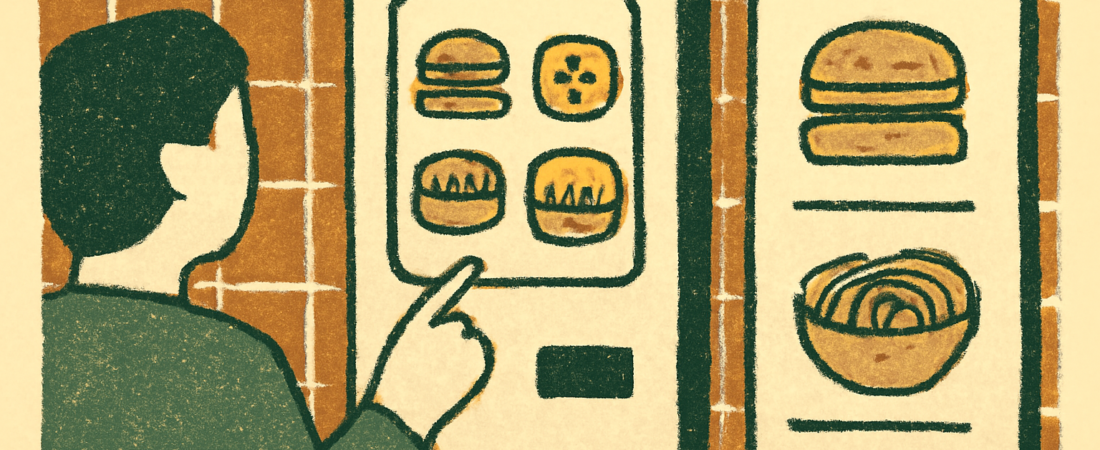
You can order in Korea without reading Hangul. Use photo menus, point at pictures, and show a translated dish name on your phone. Most kiosks have an English button. Delivery and map apps help too. Check current app features and prices yourself, because both change often.
Last checked: 2026-11-14
- Why ordering without Hangul works
- Photo menus and wall boards
- Using kiosks step by step
- Ordering apps and what the data shows
- Comparing your options
- FAQ
- Sources
- Related guides
Why ordering without Hangul works
Many first-time visitors worry about menus. The good news is that Korean food culture is quite visual. Restaurants often put photos on walls, tables and windows. Many cafes and fast-food places have touchscreen kiosks. Delivery apps show pictures for nearly every dish.
Korea has also moved heavily toward self-service ordering. Kiosks are now common in cafes, fast-food chains, cinemas and many small restaurants. Exact adoption numbers change each year, so treat any figure you read online with care. For current numbers, look at official statistics from the Korean government. Statistics Korea publishes data on household and business trends. The Ministry of Small and Medium Enterprises and Startups has also released surveys on unmanned and self-service shops. Search those sites for the latest reports.
What does this mean for you? You often do not need to speak at all. You tap, pay and wait for a buzzer or a number on a screen. That can be a relief if you feel shy about language.
Still, some places have no kiosk and no photos. Those are usually small family restaurants or older eateries. This guide covers how to handle each situation calmly.
Photo menus and wall boards
A photo menu is the easiest tool for a beginner. Many casual restaurants hang pictures of each dish with a price beside it. You can simply point and say the number or hold up fingers for the quantity.
Here are practical tips.
- Look for numbers next to dishes. You can say the number aloud or point to it.
- Prices are often shown in thousands of won. A “9” may mean 9,000 KRW (about $6.50). Always confirm on the bill.
- Check whether a dish is meant for sharing. Some stews and grilled meats are priced per portion, with a minimum of two portions.
- Ask yourself if the price is per person or per pot. When unsure, show the photo and hold up one finger to confirm.
Many barbecue restaurants charge per portion of meat. A common rule is that every person at the table should order at least one portion. This is a custom, not a law, and it varies by shop. If you are alone, some places may refuse a single order. A kiosk-style or counter-style restaurant is easier for solo diners.
Use a translation app on your phone. Point the camera at the Hangul text and it will often show English. Results are not perfect. Dish names can come out strange or too literal. If the translation looks odd, trust the photo instead.
Learning a few food words also helps. You do not need to read Hangul fully. Even recognizing a few shapes can speed things up. For basic words, see our Korean words explained section linked below.
Using kiosks step by step
Kiosks look scary, but they follow a simple pattern. Almost all of them work in the same order.
- Find the language button. It is often a small globe icon or flag in a top corner. Tap it and choose English. Some kiosks also offer Japanese or Chinese.
- Pick dine-in or takeout. Look for the two main choices on the first screen.
- Browse the categories and tap the item you want. Photos are almost always shown.
- Choose options such as size, hot or iced, or set meal upgrades.
- Review your cart and tap to pay.
- Pay by card, tap-to-pay or sometimes cash. Not every kiosk accepts every method.
- Take your receipt. It shows an order number. Wait for that number on the screen or listen for a buzzer.
Some kiosks have no English at all, especially in older or smaller shops. If that happens, ask a staff member. You can say “Yeongeo?” which means “English?” and then show your phone. Staff are usually kind about it, though they may be busy.
Payment is the part to prepare for. Foreign-issued cards generally work at major chains, but small shops can sometimes reject them. Contactless payment is widely accepted, but support varies. It helps to carry a backup card and a little cash. Check your card issuer for foreign transaction fees before you travel.
Pay attention to the receipt. Some cafes ask you to collect your drink at a pickup counter. Others call your number in Korean. Learn to recognize your digits when spoken. Korean numbers are said in two systems, but cafes usually use the Sino-Korean ones: il, i, sam, sa, o.
Ordering apps and what the data shows
Food delivery and ordering apps are a major part of daily life in Korea. Official data sources track this. Statistics Korea publishes online shopping surveys that include food delivery as a category. Trade bodies and industry groups also release reports on app usage. These figures shift every year, so check the latest release on the official sites listed below rather than trusting a number from an old blog post.
For visitors, the useful question is not market share. It is which app can actually help you. Here is a realistic picture.
- Delivery apps. Local apps are popular for home or hotel delivery. They show photos and let you filter by food type. Many are Korean-language only. Some have limited English. Registration may need a Korean phone number or local verification, which can block short-term visitors. Check the app store listing and recent reviews before relying on one.
- Map apps. Korean map apps show restaurant photos, menus and reviews, often with more detail than global maps for local food. Some have an English mode. Offline use is limited, so keep mobile data or a travel SIM ready.
- Reservation and waiting apps. Popular cafes and restaurants may use a queue app where you sign in on a tablet or phone. If you cannot use it, ask staff to add your name.
- Translation apps. A camera translator can read a menu board. Treat it as a hint, not a guarantee.
Delivery to a hotel can be tricky. You need an address, a phone number and sometimes local verification. Many visitors find it simpler to eat out. If you do want delivery, ask your hotel front desk. Some will order for you or suggest options.
One more tip: look at what locals are ordering. In busy restaurants, glance at nearby tables. Pointing at a dish and saying “this one, please” is always acceptable. In Korean, you can say “Igeo juseyo,” which means “Please give me this.”
Comparing your options
The table below compares common ways to order when you cannot read Hangul. Prices are typical examples only. Real prices vary by city, shop and year, so verify on the menu or the shop’s own page.
| Method | Best for | English support | Typical example price | Main drawback |
|---|---|---|---|---|
| Photo menu and pointing | Casual restaurants, street-style shops | None needed | Simple rice or noodle dish: about $6-9 / 8,000-12,000 KRW | Per-portion rules can surprise you |
| Kiosk | Cafes, fast food, chain restaurants | Often available, check for a language button | Americano: about $2.50-4 / 3,500-5,500 KRW | Some kiosks lack English or reject foreign cards |
| Translation app on menu | Menus with no photos | Machine translation, uneven | Varies by dish | Dish names may translate oddly |
| Delivery app | Hotel or apartment stays | Limited, varies by app | Delivery fees vary; verify in the app | May need local verification |
| Asking staff with phone | Small family restaurants | Depends on staff | Menu price | Staff may be busy at peak hours |
Exchange rates move daily. The dollar figures above are rough and assume a conversion near 1,350-1,400 KRW per dollar. Check a live rate before you budget.
Remember tipping is not customary in Korea. You do not need to add anything to your bill. Some restaurants add a service charge, usually shown clearly on the menu or receipt.
FAQ
Do I need to learn Hangul before visiting Korea?
No. You can order using photos, kiosks and apps. Learning to read Hangul is quick and helpful, though. Many learners pick it up in a few days of practice. It makes menus and signs much less stressful.
What if a kiosk does not accept my foreign card?
Ask a staff member to take your order at the counter. Carry a backup card and some cash. If the problem repeats, check with your card issuer about foreign use before you travel.
Is it rude to point at a dish or show my phone?
No. Staff see this often. A polite smile and a short “Igeo juseyo” go a long way. Pointing while saying please is perfectly normal.
Can I order delivery as a tourist?
Sometimes, but it can be hard. Many delivery apps want local phone verification and a Korean address. Ask your hotel desk for help. Check the app store page and recent reviews for current requirements.
Sources
- Statistics Korea (KOSTAT): https://kostat.go.kr/
- Korea Tourism Organization, Visit Korea: https://english.visitkorea.or.kr/
- Ministry of SMEs and Startups: https://www.mss.go.kr/
- Korea Consumer Agency: https://www.kca.go.kr/
These are homepage-level links. Search each site for the latest reports on self-service ordering, online food delivery and visitor information. Numbers and rules change, so confirm anything important there.
Leave a Reply